
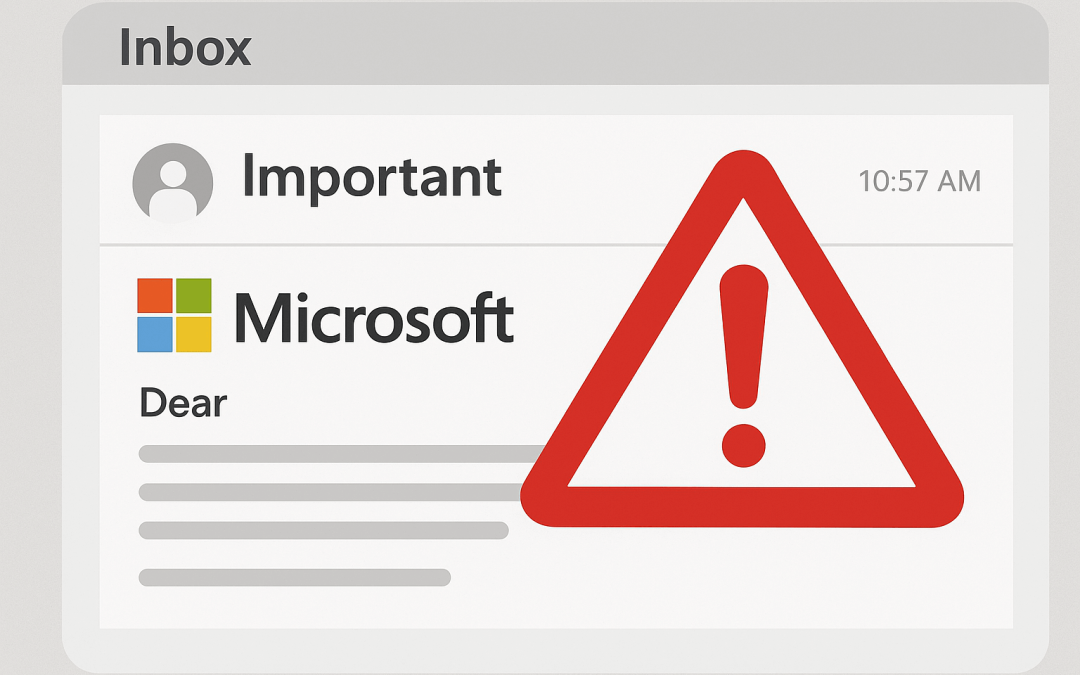
Fake emails are one of the most popular methods scammers use to target unwary victims in the modern digital world, as cybercrime becomes increasingly sophisticated. These messages often look like they’re from trusted companies such as Microsoft. They use real logos, familiar email layouts, and urgent wording to make them seem legitimate.
The goal is usually to trick recipients into revealing personal information, downloading malware, or paying for unnecessary “support services” that don’t exist. Recognising a fake email from Microsoft is crucial—not just to protect your computer, but also to safeguard your sensitive data, financial information, and online accounts.
In this guide, we’ll walk you through the key signs of fraudulent emails, explain the steps you should take if you receive one, and show you where to find trusted local support in Wynnum to address any Microsoft scam-related concerns. By staying informed and vigilant, you can reduce your risk and respond effectively if a scam reaches your inbox.
What is a Fake Email From Microsoft Support?
A fake email from Microsoft support is designed to look like it comes from Microsoft’s official team. Usually, the objective is to trick recipients into divulging private information like credit card numbers, passwords, or other personal information. These emails are designed to look like genuine messages from Microsoft. They use familiar logos, convincing language, and urgent alerts to make you feel pressured to respond quickly.
Fake emails can range from phishing attempts to scams offering “technical support” that requires payment. They may also contain links or attachments that, if clicked, install malware or spyware on your computer. Recognising these emails before taking any action is crucial. Many people ask, “How can I tell if an email from Microsoft is genuine?” The key is to look for inconsistencies, suspicious links, and unexpected requests for personal information.
What Does a Microsoft Phishing Email Look Like?

A phishing email claiming to be from Microsoft can take many forms. Common characteristics include:
- Urgent wording: If an email says like “Your account is at risk” or “Act now to avoid suspension,” it’s making you panic so you’ll react without thinking.
- Suspicious links or attachments: Some of these emails often include files that can harm your device or links that redirects to fake login pages to steal your information.
- Scam sender addresses: Even if the message looks like it’s from Microsoft, the sender’s email might have odd domains like “@microsoft-help.net” or has small spelling mistakes.
- Requests for personal info: Microsoft will never ask for your password, credit card number, or any sensitive details through email.
- Poor grammar and spelling mistakes: Official Microsoft communications are usually professionally written, so typos and awkward phrasing are red flags.
Some phishing attempts may also appear as a fake Microsoft tech support pop-up link, which mimics a legitimate Windows alert to scare you into calling a fraudulent number.
Does Microsoft Support Send Emails?
Many users are confused about whether Microsoft support actually sends emails. The short answer is yes—but only in particular circumstances. Microsoft does send notifications about account activity, subscription renewals, or security alerts. However, these emails will never ask for your password or payment information directly in the email.
Legitimate Microsoft emails include:
- Your real name or Microsoft account username
- Specific information about your account activity
- Links that direct you to official Microsoft domains, such as “microsoft.com”
Suppose you receive a suspicious email that comes from Microsoft. In that case, it’s safest to verify the communication directly by logging into your Microsoft account through a browser, rather than clicking any links in the email.
For ongoing protection, it’s also wise to maintain regular backup solutions. Setting up automated cloud backup solutions in Wynnum ensures your data is safe, even if a scam or malware infects your system.
Actions to Take if You Received a Fake Microsoft Email

If you realize you’ve received a fake Microsoft support email, act quickly to keep your information safe:
- Avoid downloading attachments or clicking on links. Malicious links can infect your computer with spyware or viruses.
- Mark the email as phishing. Most email providers, including Outlook and Gmail, allow you to report emails as phishing attempts.
- Change your passwords immediately. Use the same password to reset your Microsoft account and any other accounts if you unintentionally clicked on a link or entered any credentials.
- Run a full virus scan. Using trusted antivirus software is essential, but sometimes professional assistance is the best option. That’s where we can help with our virus and malware removal in Wynnum services.
- Turn on two-factor verification. This adds another level of protection to your account, making it harder for scammers to get your sensitive information.
Taking swift action can prevent a minor phishing attempt from turning into a significant data breach.
How to Protect Yourself From Future Scams

Preventing fake emails from impacting your life requires vigilance and smart digital habits. Here are some tips:
- Be sceptical of unexpected messages. If you weren’t expecting an email from Microsoft, treat it cautiously.
- Hover over links before clicking. Check if the URL leads to an official Microsoft domain.
- Keep your software updated. Regular updates to Windows, browsers, and antivirus programs protect against vulnerabilities.
- Regularly back up your data to keep your information safe, even if your device gets compromised.
- Stay informed about phishing tactics — scammers are always changing their methods, so it’s important to keep learning.
- Use reputable security tools. Anti-phishing toolbars, email filters, and antivirus software can prevent scam emails from reaching your inbox.
Additionally, professional guidance can be invaluable. Our onsite computer support in Wynnum helps remove malware safely and ensures your system runs properly after a cyberattack.
Does a Factory Reset Remove a Virus?
Since a factory reset returns your device to its initial configuration, deleting loaded apps and personal files, it can get rid of the majority of viruses and malware. However, some advanced malware can survive or re-infect your system if your backups or external drives are also affected. To stay fully protected, always do a factory reset, run updated antivirus scans, and use clean, secure backups.
Local Help in Wynnum for Microsoft Scam Issues

If you’re in Wynnum and have received a fake Microsoft support email, local professionals can help you get things back on track. At Choicetel, we offer complete support to help you recover from phishing scams and keep your computer protected.
Our services include:
- Diagnosing and repairing computers affected by malware or other malicious software
- Guidance on safe computing practices and avoiding future scams
- Setting up secure data backup solutions to protect important files
- Virus removal to ensure your system remains secure
By choosing local support, you avoid the hassle of transporting your device to a workshop and get immediate, hands-on assistance.
Additional Tips for Staying Safe Online
Even after a phishing attempt, it’s important to stay consistent with your cybersecurity habits. You can also take extra steps such as:
- Don’t reuse passwords; instead, create strong, one-of-a-kind passwords for each online account.
- Be careful when using public Wi-Fi — scammers can take advantage of unsecured networks to steal your personal data.
- Keep an eye on your accounts for any unusual activity so you can spot problems earlier.
- Educate family members and colleagues about phishing emails and online scams. Awareness is critical.
- Install security updates immediately. Microsoft and other software providers regularly release patches to protect against threats.
With vigilance and professional help, including virus cleanup and protection and trusted onsite PC repair services repair services, the likelihood of becoming a victim of a phony Microsoft email can be significantly decreased.
Staying Vigilant Against Microsoft Email Scams
Fake Microsoft support emails are showing up more often these days — and they can look very convincing. Scammers use urgent messages, fake links, and scare tactics to trick you into sharing personal information or downloading harmful software. Knowing how to recognize these scams and the methods they use is essential for every computer user.
Remember, Microsoft does send legitimate emails — but they’ll surely never ask you to share personal or sensitive data. If you get a suspicious message, please don’t click on any links. Instead, report it and reach out for professional help.
For those in Wynnum, Choicetel offers local support you can trust — from onsite computer repairs and virus removal to reliable backup solutions — to help keep your system safe and secure.
By staying informed and cautious, you can protect yourself from cyber scams and ensure your online experience remains secure.
Recent Comments